 Year Cards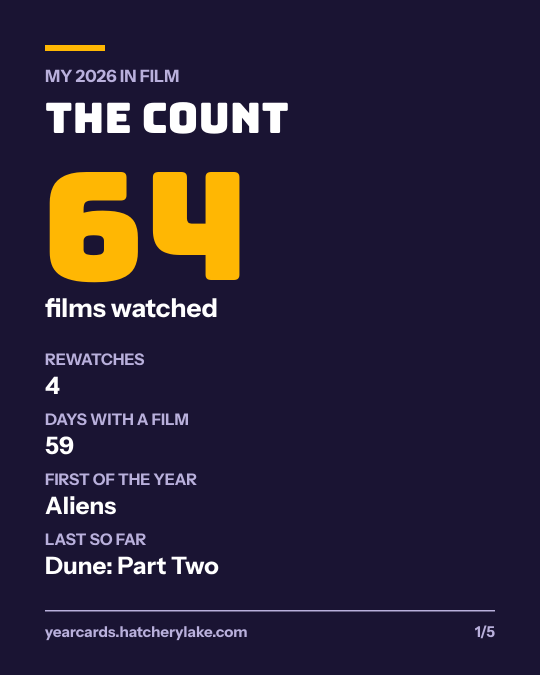
Letterboxd · Year Cards
How to export your Letterboxd data
On letterboxd.com, signed in, open Settings, then Data, and export your data. Letterboxd gives you a .zip of CSV files, and free accounts can export too. Drop that zip below to turn your diary into five year cards.
- Your file never leaves your device.
- No account
- Instant
No file yet? Try .
Your cards
Each card is a 1080 by 1350 PNG, the size Instagram, Threads and Bluesky show without cropping. On a phone, open the card and save the image.
What is in the zip
The export is a set of spreadsheet files. Two of them make the cards:
diary.csv: one row for each logged watch, with the columns Date, Name, Year, Letterboxd URI, Rating, Rewatch, Tags and Watched Date.watchlist.csv: the films you saved to watch, with the date you added each.
Other files hold things like your ratings and reviews. Year Cards skips the copies inside the zip's deleted and orphaned folders, so removed entries don't count.
One diary row from the sample, read the way the cards read it: 2025-02-20, Seven Samurai, 1954, …, 4, , , 2025-02-20 is one film watched in February 2025, released in the 1950s, rated 4 stars, not a rewatch.
Step by step
- Sign in on letterboxd.com and open Settings.
- Open the Data tab and export your data.
- Save the .zip file it downloads.
- Drop the zip on this page to get your year cards.
Questions people ask next
Can I drop just diary.csv?
Yes. Drop diary.csv on its own and you get the same cards, except that the fifth card cannot show your watchlist.
Why doesn't ratings.csv work on its own?
It has no watch dates, so it cannot say which year a film belongs to. Use the whole zip or diary.csv.
Can I open the files in a spreadsheet?
Yes. They are plain CSV files that Excel, Numbers and Google Sheets open.
Is my export sent anywhere?
No. Year Cards reads the zip in your browser.
Related
Year Cards is not made by or affiliated with Letterboxd or Goodreads. Letterboxd and Goodreads are trademarks of their owners.